Black Cat Clapping AI: CapCut Template vs AI Generator
October 25, 2026
Want to star in the Black Cat Clapping meme? Turn your photo into it.Make my video →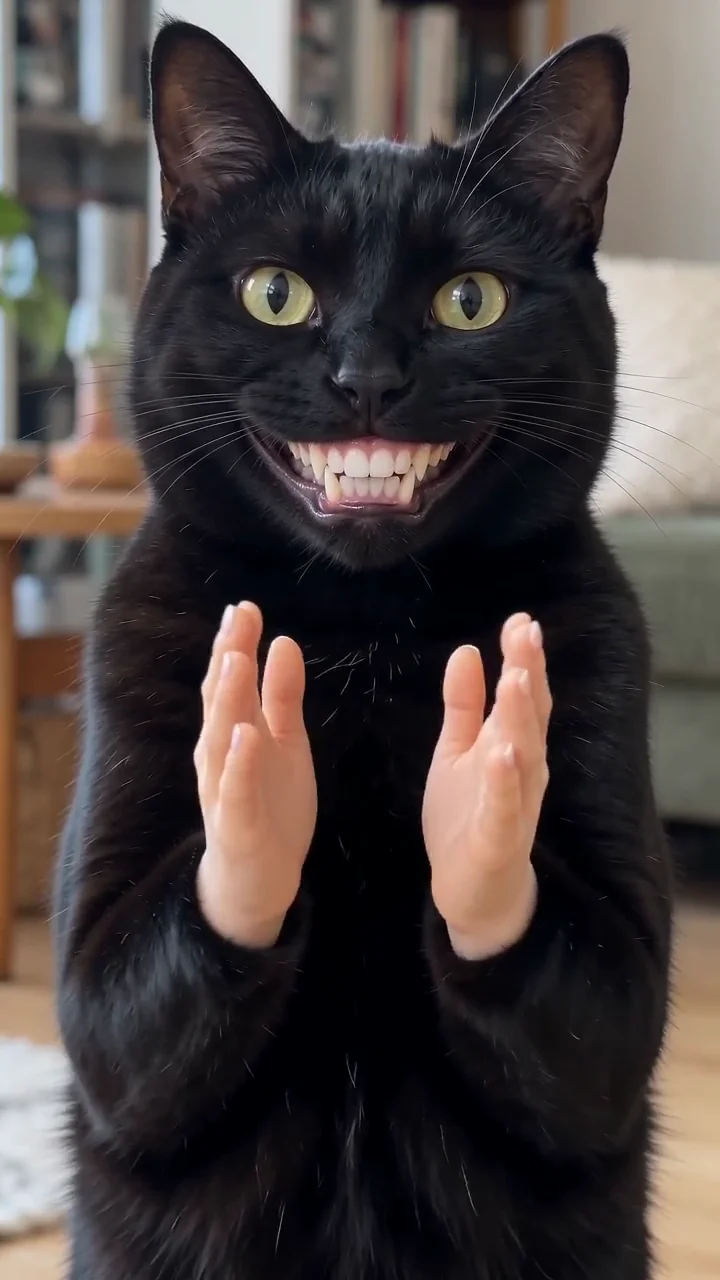
Neither wins outright. A CapCut template gives you the original clapping cat in a couple of taps. A generator gives you your own pet doing the slow clap for 500 credits per 480p video. Templates win on speed and price; the Black Cat Clapping AI video generator wins on the one thing that makes the joke personal.
Key takeaways
- Template: the original cat, fast, free to try.
- Generator: your own pet, from one photo, for credits.
- 480p = 500 credits, 720p HD = 1,500 credits. One-time packs: $9.99 (500 credits), $19.99 (1,500) or $29.99 (2,500), no subscription.
- You can combine them: edit a generated MP4 in any editing app.
What does a CapCut template give you?
A template gives you a pre-built project with the clap, the sound and the caption style already placed. You drop in a photo or a clip and export. What you inherit is the original cat and its timing, so the clap lands correctly without you touching a keyframe, and the post matches the version viewers already recognise. See the meme explained for where that cat came from.
What does a generator do differently?
A generator rebuilds the scene from your photo rather than re-cutting a finished clip, so the animal on screen is yours. That changes the joke: a stranger’s cat clapping is a meme, while your cat clapping at your own bad decision is a post about your life. The trade is control over timing: you get a video, not a timeline.
Which route needs the least work?
- CapCut template: import, place, export. One import, the original cat.
- CapCut green-screen edit: key out the green, align the eye line, trim. Hand work, the original cat.
- Generator: pick a photo, generate, download. One photo plus a render, your pet.
The order flips if the photo is bad: a blurry upload and two retries take longer than a template that was always going to work. The photo guide helps you avoid that.
What do the routes cost?
The template and green-screen routes cost your time and whatever the app charges for exports. On the generator, one 480p video uses 500 credits and a 720p HD video uses 1,500 credits. The entry pack is $9.99 for 500 credits, exactly one 480p video; $19.99 holds 1,500 credits and $29.99 holds 2,500. Packs are a one-time purchase, never a subscription, credits do not expire and a failed video returns its credits. The free routes guide goes through what free really costs.
Where does each route fail?
- Template: an export that is cropped or branded by the app, or audio that drifts if you retime the clip. Do not stretch the template timeline.
- Green-screen edit: green spill leaves a rim on black fur. Shrink the matte and feather the edge.
- Generator: the grin warps the head. Use a wider crop of the head.
Both CapCut routes share one weakness: they cannot put your pet on screen.
Which should a pet account pick?
A pet account should pick the generator, because its whole value is that the animal is recognisable, and a template post spends that value on someone else’s cat. An account posting reactions, quotes or sports results should pick a template: the cat is a reaction asset and the animal’s identity is irrelevant. If the goal is volume, run templates until one format works, then spend credits to put your own pet into the version that took off. Ready to try? Follow how to make a Black Cat Clapping AI video.
YupPop is an independent tool and is not affiliated with @merkurianin, CapCut or the social platforms.
FAQ
Can CapCut make your own cat clap?
CapCut can place a clip over your footage, but it does not add a grin or a pair of hands to your pet. Making your own pet clap needs a generator; CapCut can then edit the finished MP4.
Why does the template clap look cleaner than mine?
A template usually keeps the original timing, so the hands meet exactly where the sound expects. A hand-built version drifts by a few frames. Avoid stretching or retiming the clip.
Which route gets more reach?
Recognisable footage gets an instant laugh, while your own pet gets more comments from people who follow it. Templates suit reaction accounts; a generated video suits pet accounts.
Can you mix a template and a generator?
Yes. Make the take on the generator, then drop the MP4 into a CapCut project for the caption and sound. The generator supplies the animal and CapCut supplies the assembly.
How much does the generator cost?
One 480p video uses 500 credits and a 720p HD video uses 1,500 credits. The entry pack is $9.99 for 500 credits, a one-time purchase. Failed videos refund their credits.
Related guides
- How to make a Black Cat Clapping AI video
- Best photo for a Black Cat Clapping AI video
- Black Cat Clapping AI trend for free
- Black Cat Clapping AI prompt