How to Make a Black Cat Clapping AI Video (and GIF) of Your Pet
October 24, 2026
Want to star in the Black Cat Clapping meme? Turn your photo into it.Make my video →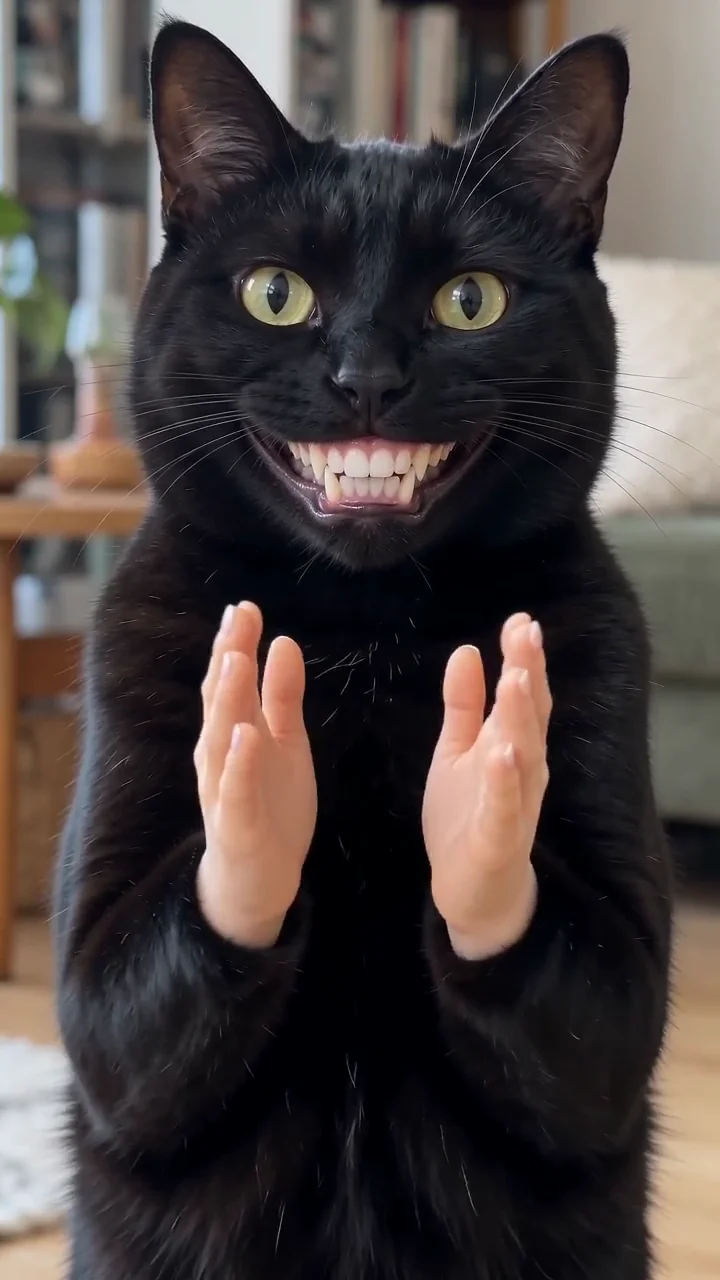
To make a Black Cat Clapping AI video, upload one clear photo of your cat, dog or other pet to the Black Cat Clapping AI video generator, pick 480p or 720p HD and download the MP4 a few minutes later. The AI, Seedance by ByteDance, follows the reference clip, so your pet gets the too-wide grin and the slow clap without you editing a single frame. Trim the clap and you have your own Black Cat Clapping GIF.
Key takeaways
- You need one photo of your pet: cat, dog or other pet, looking at the camera.
- 480p = 500 credits, 720p HD = 1,500 credits. One-time packs: $9.99 (500 credits), $19.99 (1,500) or $29.99 (2,500), no subscription.
- No watermark, failed videos refund their credits and your photo is not stored.
- New to the meme? Read the Black Cat Clapping meme explained first.
Step 1: Pick the right photo
- Looking at the camera. The clip is a close-up, so a front-on pet photo works best.
- Head and front paws in frame. The paws become the clapping hands.
- Good light, no blur. Daylight and a pet that is holding still give the sharpest result.
- Just one pet. Crop group shots down to one animal.
- Your own pet, or a pet whose owner agreed. No people in the photo.
Step 2: Upload, choose quality and generate
Open the generator, add your pet photo, tick the consent box and choose 480p or 720p HD. 480p is plenty for comment sections and GIFs; 720p looks sharper as a full post. Press Generate. It usually takes a few minutes, and you can leave the page while it renders.
Step 3: Download and post
Download the MP4 and post it to TikTok, Reels or Shorts as a reply or a stitch. Write the situation you are clapping at as the caption, the dumber the better, and turn on the app’s AI-generated label. The trend has no fixed song, so pick the sound from a version you like.
Step 4: Make a Black Cat Clapping GIF
- GIF: trim the slow clap to two or three seconds and convert it with any free video-to-GIF tool.
- Reaction clip: drop the MP4 at the end of an edit, right after the fail.
- Still: pause on the widest grin, screenshot it and use it as a sticker or profile picture.
Common problems and fixes
- Your pet looks off: use a sharper, front-facing photo without filters.
- Your pet looks blurry: pick a photo taken in daylight with the pet holding still.
- The video failed: credits go back automatically; try another photo.
AI vs reposting the green screen
Reposting the green screen is quick, but it is someone else’s cat and the same clip everyone has seen. Your own version, with your own cat or dog, is new and yours to post. YupPop is not affiliated with the creator of the original Black Cat Clapping video or the social platforms.
FAQ
How do I make a Black Cat Clapping AI video?
Upload one clear photo of your cat, dog or other pet to the Black Cat Clapping AI video generator, choose 480p or 720p HD and download the MP4 when it is ready, usually within a few minutes.
Is the Black Cat Clapping AI generator free?
Signing up is free, but each video uses credits from a one-time pack, starting at $9.99 for 500 credits, which makes one 480p video. Failed videos refund their credits.
Can I use a photo of my dog instead of a cat?
Yes. Cats, dogs and other pets all work. A clear, well-lit photo of one pet looking at the camera works best; the AI gives it the grin and the clapping hands.
Which pet photo works best?
One pet, sitting or standing, looking at the camera in good light, with its head and front paws fully in the frame, because the grin and the clap are the punchline.
How do I turn it into a GIF?
Download the MP4, trim the clap to two or three seconds and convert it with any free video-to-GIF tool.
Does the video include a sound?
The AI follows the original timing, but music rights differ by platform, so add a sound in the app when you post on TikTok or Reels.