Black Cat Clapping Sound on TikTok and Reels: How to Add It
October 25, 2026
Want to star in the Black Cat Clapping meme? Turn your photo into it.Make my video →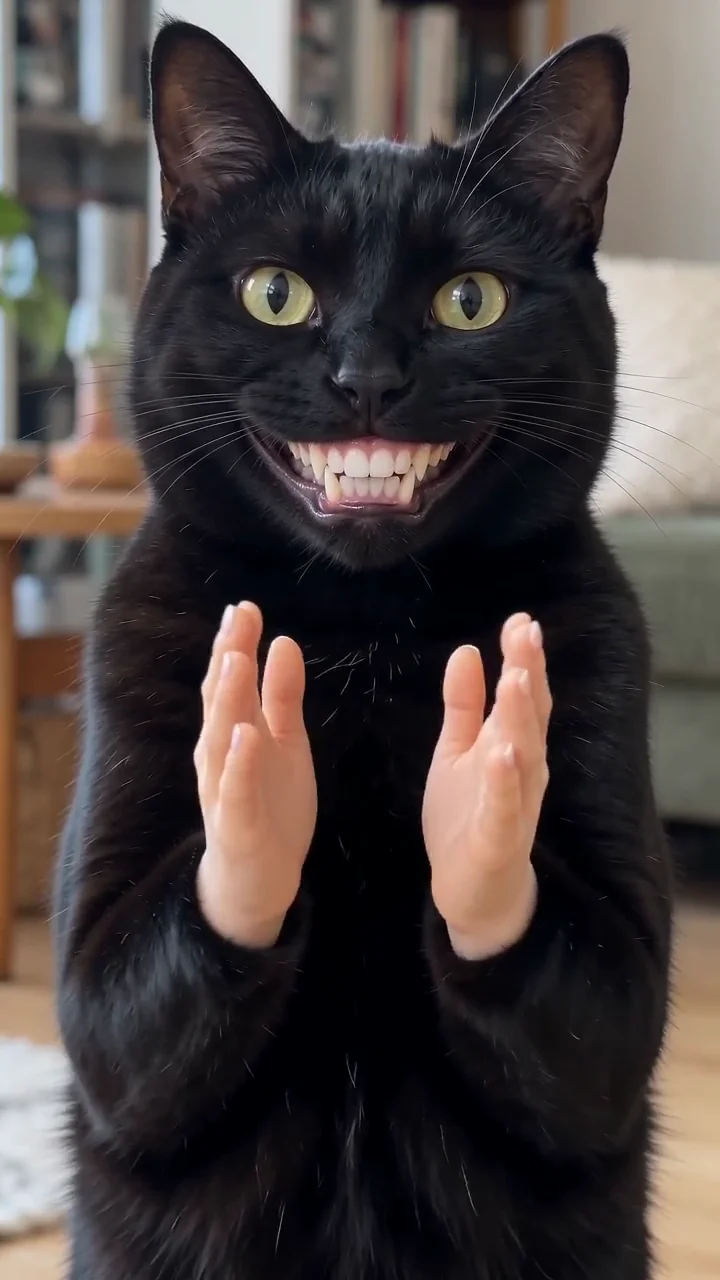
The Black Cat Clapping trend has no fixed song. Most posts use an original sound that was uploaded with the green screen, and edits often swap in a slowed track. The slow clap is the point, so the job is to match a version you like and place the clap well. For the video itself, see the Black Cat Clapping AI video generator.
Key takeaways
- There is no single song: tap a version’s sound and choose Use this sound.
- Pick the sound inside the app and turn the file’s own audio down.
- Do not trim the pause before the clap: it is the joke.
- Need a clip first? Make one from your pet’s photo.
What is the Black Cat Clapping sound?
It is mostly clapping: a dry, spaced-out slow clap, with nothing fancy around it. The spacing does the work. A normal clap is a beat; a slow clap is a sentence, and the gap between the palms is the pause before the verdict. When editors tighten that gap, the joke turns into applause and stops being funny. The meme explained covers where the clip started.
How do you find the sound on TikTok?
Start from a repost you already like, tap the sound name along the bottom and choose Use this sound. That guarantees you get the exact version that is spreading, rather than a lookalike from a search. Searching the phrase also works, though the results mix in unrelated cat videos.
- Open a Black Cat Clapping video and tap its sound name.
- Choose Use this sound, then pick your clip from the library.
- Slide your own audio all the way down in the volume screen.
- Check that the clap lands where you want it, then publish.
How do you use it on Reels and Shorts?
- On Reels, find a Reel using the sound, tap its audio name and choose Use audio, then add your clip.
- Or start a fresh Reel, select the clip and search the sound under the music button.
- For Shorts, begin on the sound page, or post the finished file and add a sound in the app.
- Pull the camera audio down before you share.
Keep voiceovers off. The silence before the clap is the punchline.
How do you sync the clap to a cut?
Sync on the moment the palms meet, not where the hands lift. The lift starts the gesture; the contact lands the judgement, and that is the frame viewers screenshot.
- Start on the grin. The face has to be visible before the hands arrive, or the clip opens mid-joke.
- Hold through the gap. Do not trim the pause between the palms. That pause is the sarcasm.
- Do not stretch the clap. Time-stretching shifts the pitch and smears the sound.
If the clap arrives early, hold the first frame a moment longer. If it arrives late, trim the head of the clip rather than speeding anything up.
Why does the video sound doubled or muted?
A doubled sound means two copies of the audio are playing a beat apart: the file’s own sound plus the one you added in the app. Pick one. A muted post means the only music sat inside the uploaded file rather than the app’s library: re-upload with the sound picked in the app. Label AI-made clips before you post by switching on the app’s AI-generated label. Costs for the video are in the free routes guide.
YupPop is an independent tool and is not affiliated with @merkurianin or the social platforms.
FAQ
Is there a song behind the Black Cat Clapping trend?
No fixed song. Most posts use an original sound uploaded with the green screen, and edits often swap in a slowed track. Tap the sound on a version you like and choose Use this sound.
Can you use the sound without the video?
Yes. People use a clapping sound as a reaction sting under text posts and screen recordings, where the claps punctuate a bad take.
Does my generated video include a sound?
Do not count on it: music rights differ by platform. Add a sound inside TikTok or Reels when you post.
Why does the video sound doubled?
Two copies of the audio are playing a beat apart: the file’s own sound plus the one you added in the app. Turn one of them off.
Should you credit the original creator?
It costs nothing and answers the ownership question before a commenter asks it. Credit @merkurianin when you reuse the green-screen cut.
More from the blog
- Black Cat Clapping Meme: Origin, Meaning, GIF and Green Screen
- How to Make a Black Cat Clapping AI Video (and GIF) of Your Pet
- Best Photo for a Black Cat Clapping AI Video: One Pet, Eye Level
- Free Black Cat Clapping Video: 3 Ways vs the AI Generator
- Black Cat Clapping AI Prompt (Copy and Paste)
- Black Cat Clapping AI: CapCut Template vs AI Generator