Best Photo for a Black Cat Clapping AI Video: One Pet, Eye Level
October 25, 2026
Want to star in the Black Cat Clapping meme? Turn your photo into it.Make my video →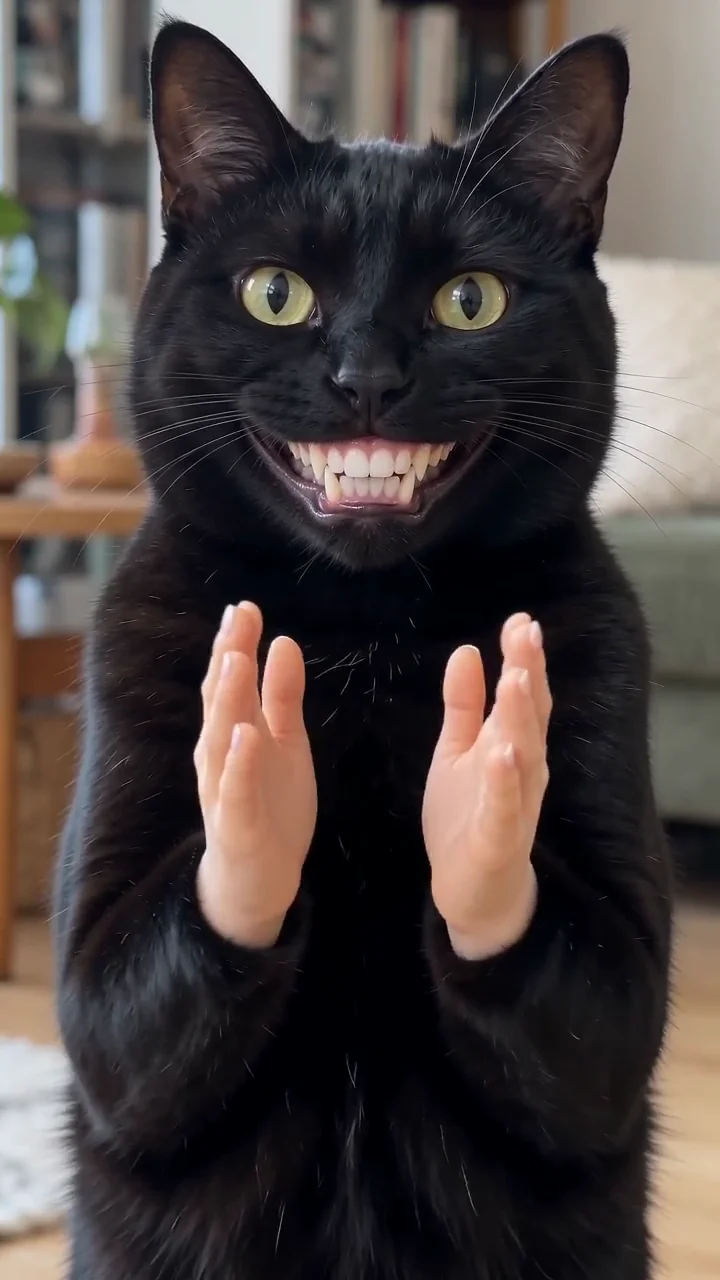
The best photo for a Black Cat Clapping AI video is one pet, shot straight on at eye level, with the head filling roughly half the frame and the front paws in view. That framing gives the grin room to open and the hands something to grow from. Add it on the Black Cat Clapping AI video generator; a bad upload wastes the 500 credits a 480p video uses, so sort the photo before you spend.
Key takeaways
- One pet, straight on at eye level, head and front paws in frame.
- Plain background, good light, sharp focus.
- 480p = 500 credits, 720p HD = 1,500 credits. One-time packs: $9.99 (500 credits), $19.99 (1,500) or $29.99 (2,500), no subscription.
- Next step: make the Black Cat Clapping AI video.
What makes a photo work?
A photo works when the AI can see the whole face, the whole mouth and enough body to build two arms from. Front-facing, evenly lit and sharp is the short version. The grin needs an open mouth line, the hands need shoulder width, and the clip starts with a head that is already square to the lens. A photo that hides any of those three forces the AI to guess, and guessing is where the video falls apart.
Why does eye level matter so much?
Eye level decides whether the grin reads as a smile or as a snout. From above, a pet’s muzzle shortens and the mouth line disappears under the nose; from below, the jaw looks slack. Hold the phone at your pet’s own height. If you are shooting fresh, sit on the floor. If you are choosing from an album, pick the frame where the camera was lowest.
Which backgrounds help and which hurt?
A plain background helps; a busy one steals the frame. The slow clap is a face joke, so anything with strong pattern behind the head competes with the grin. Flat, low-contrast backgrounds such as a wall, a sofa or a floor work best. Backlit windows, cluttered shelves and dark rooms where the fur goes to noise work worst. A black pet in a dark room is the hardest case, because the AI cannot separate the head from the shadow: shoot near a window in daylight.
How close should the crop be?
Crop until the head is about half the frame height, with the ears inside the border and a little space above them. That is close enough for detail and far enough for two arms. A head that fills the whole frame leaves nowhere for the hands to enter; a head that is a tenth of the frame gives the AI too few pixels to build a mouth from.
What should you avoid?
- Overhead shots: the face foreshortens and the mouth has no room to widen.
- Screenshots from videos: compression smears the fur and whiskers.
- Filters and beauty modes: they flatten the fur detail.
- Group photos: two faces split the AI’s attention. Crop to one animal.
- People in the photo: use a photo of the pet alone.
What do the common problems look like?
- Paws instead of hands: paws were prominent in the frame. Crop above the paws.
- Warped head, stretched ears: the mouth had no room. Use a wider crop of the head.
- Pet looking off to one side: the subject was off-centre. Recrop so the eyes sit near the middle.
- Grey, muddy fur: dark room, dark coat. Shoot again in daylight.
What does a retry cost?
A retry costs credits like any other video: 500 for 480p and 1,500 for 720p HD. The entry pack is $9.99 for 500 credits, exactly one 480p video; $19.99 holds 1,500 credits and $29.99 holds 2,500. Packs are a one-time purchase, credits do not expire, and a video that fails returns its credits. Two 480p tries cost 1,000 credits, so one good photo is the cheapest fix. Your photo is used to make your video and is not stored. See pricing, and read the meme explained if you are new to the trend.
YupPop is an independent tool and is not affiliated with @merkurianin or the social platforms.
FAQ
Does the photo need to be a black cat?
No. The meme is a black cat, but the generator works from a clear photo of your cat, dog or other pet. Dark fur is harder to light, so a black pet needs a brighter room.
Can you use a photo of a cat that is not yours?
Only with the owner’s permission, or if you took the photo yourself. Use your own pet, or a pet whose owner agreed. No people in the photo.
Why did my video come back with paws instead of hands?
The photo probably showed prominent front paws, and the AI copied them. Crop above the paws, or pick a frame where both front paws are down, and try again.
Can you use a screenshot from a video?
Only if it is sharp at full size. Compression smears whisker and fur detail, so the pet can come back looking generic. Use the original photo file when you can.
What does a retry cost?
A retry uses credits like any other video: 500 for 480p and 1,500 for 720p HD. A video that fails refunds its credits.
Related guides
- How to make a Black Cat Clapping AI video
- Black Cat Clapping AI trend for free
- Black Cat Clapping AI prompt
- Black Cat Clapping: CapCut vs AI generator