Dime Dime Baby CapCut Template vs AI Video Generator: Which Should You Use? (2026)
October 22, 2026
Want to star in the Dime Dime Baby meme? Turn your photo into it.Make my video →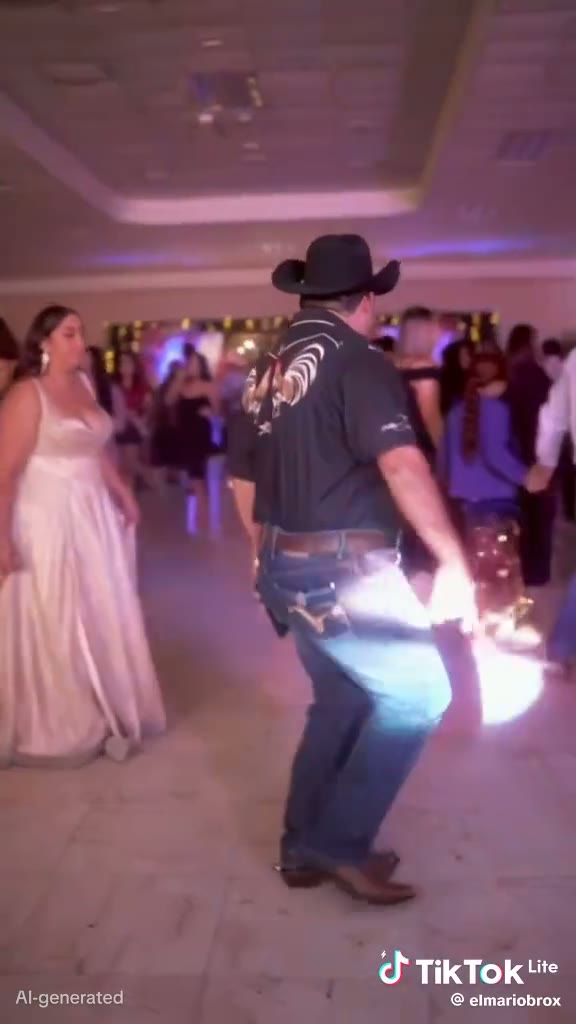
Search the trend in CapCut and you will find community Dime Dime Baby / BbY WOW templates. They are great for some videos and useless for others. The difference comes down to one question: do you already have footage of yourself dancing?
Key takeaways
- A CapCut template edits clips you already have; it cannot make you dance.
- An AI video generator creates new footage of you from one photo.
- Templates are usually free; AI uses credits (from $9.99, refunded on failure).
- You can combine them: generate with AI, then edit in CapCut.
What does a Dime Dime Baby CapCut template do?
A template is a ready-made edit: fixed slots, cuts timed to the beat, text and the sound. You drop your own clips or photos into the slots, CapCut lines them up with the music and you export. It is fast and fun, but the movement has to be in the footage you add. Put in a still photo and you get a still photo bouncing to BbY WOW, not a dance.
What does an AI video generator do?
An AI generator such as our Dime Dime Baby AI video generator starts from a reference dance clip and replaces the dancer with the person in your photo. The walk-in, the groove, the stare and the point are all there, with your face and build, in a vertical MP4 you can post anywhere.
CapCut template vs AI: side by side
| CapCut template | AI video generator | |
|---|---|---|
| Input | Your own video clips | One photo |
| Creates new dance footage? | No | Yes |
| Cost | Usually free | Credits, from $9.99 |
| Effort | Film first, then edit | Upload and wait a few minutes |
| Best for | Real party footage | No footage, or recasting a friend |
When is a CapCut template enough?
- You already filmed yourself or friends dancing at a party.
- You want a quick photo slideshow on the beat.
- You are happy with the template’s exact style and ending.
When is AI the better choice?
- You have no dance footage, only a photo.
- You want you doing the walk-in and the stare, not a slideshow.
- You want to recast a friend, a dad or a coworker who would never film it (with their permission).
- You want a clean MP4 with no watermark.
How do I combine both?
- Generate your clip with the AI generator and download the MP4.
- Open a BbY WOW template in CapCut and drop the AI clip into the main slot.
- Add captions, then export and post with the BbY WOW sound.
Full steps for the AI part: how to make a Dime Dime Baby video.
Tips for either method
- Use the platform’s official BbY WOW sound so the audio is licensed.
- Time the stare to the “dime, dime, baby” hook.
- Label AI-made videos as AI-generated.
Conclusion
If you have the footage, a CapCut template is the quickest edit. If you only have a photo, AI is the only way to actually be in the dance. Start with one photo.
FAQ
Is there a Dime Dime Baby CapCut template?
Yes. Creators share CapCut templates for the BbY WOW sound. They are community edits, not official releases from KAROL G or her label.
Can a CapCut template make me dance like the meme?
No. A template cuts and times clips you already filmed. If you have no footage of yourself dancing, an AI video generator creates it from a photo.
Is the CapCut template free?
Many templates are free to use, though some features or exports depend on your CapCut plan.
Is the AI version free?
Signing up is free; each video uses credits from a one-time pack starting at $9.99. Credits come back if a video fails.
Can I combine both?
Yes. Generate the AI clip first, then drop it into a CapCut template for extra text, cuts or effects.
Related guides
- How to make a Dime Dime Baby video
- Dime Dime Baby Halloween costume
- Best Dime Dime Baby AI video generators
More from the blog
- Dime Dime Baby Meme Explained: The Bby Wow Guy, the Song and the AI Trend (2026)
- Dime Dime Baby Song: Who Sings BbY WOW? Release Date, Album and Charts (2026)
- Dime Dime Baby Lyrics: BbY WOW Hook in Spanish and English (Letra + Meaning)
- Dime Dime Baby Meaning: What “Dime” Means in Spanish (and Why It’s Not About a 10)
- Ella Como Ninguna or Bella Como Ninguna? The Dime Dime Baby Lyric Explained
- Clarent “Dime Baby” vs “Dime Dime Baby” (BbY WOW): Which Song Is the TikTok Trend?