How to Make the Symmetry Filter Video With AI From One Selfie
October 25, 2026
Want to star in the Symmetry Filter meme? Turn your photo into it.Make my video →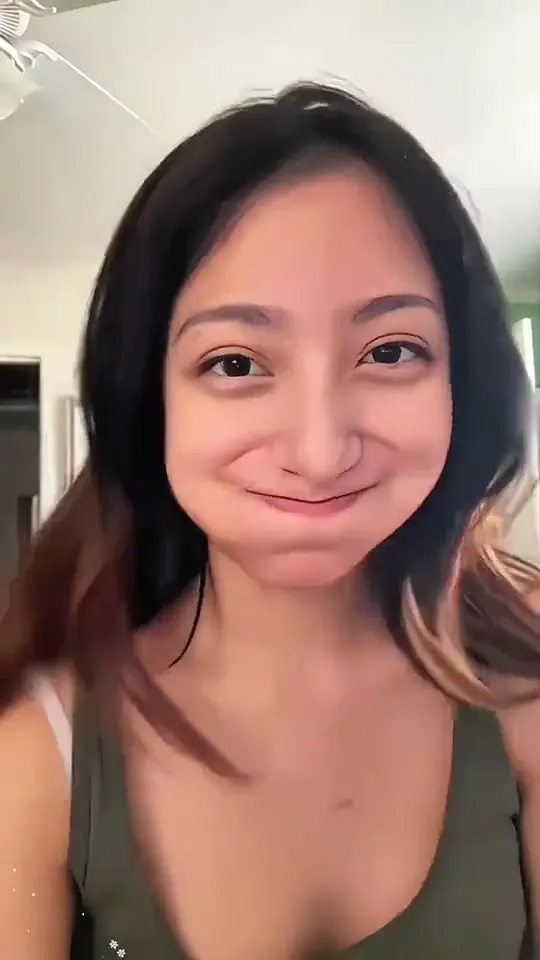
To make the Symmetry Filter video with AI, upload one straight-on selfie to the Symmetry Filter AI video generator, pick a resolution and submit. You get a short vertical clip that flips between your real face and your two mirror twins on the beat.
Key takeaways
- You need one straight-on selfie, face large and level.
- 480p = 500 credits, 720p HD = 1,500 credits. One-time packs: $9.99 (500 credits), $19.99 (1,500) or $29.99 (2,500), no subscription.
- Each run is a new take, so rerun if a seam shows.
- New here? Read what the Symmetry Filter trend is.
The steps
- Take a straight-on selfie. See the photo guide.
- Open the generator and add the selfie.
- Choose a resolution and check the credits shown.
- Submit and wait for the MP4.
- Download it and post it with the platform’s AI label on.
What does the clip show?
- Start: your real face, calm, looking into the lens.
- Then: a hard cut to the left-side twin, built from the left half of your face and mirrored onto the right.
- Then: a cut to the right-side twin, built from the right half.
- Middle: fast flips between the twins on the beat.
- End: back to your real face with a small smile.
What goes wrong, and how do you fix it?
- The twins look almost the same as the real face: use a straight-on photo with your head level.
- One twin looks stretched or narrow: your head was turned, so take a new selfie facing the lens.
- One twin is much darker: the light came from one side, so face a window or a soft lamp.
- A seam shows down the middle: run it again.
What does it cost?
Pricing is shown live in the generation panel before you submit, and a failed generation releases its reserved credits automatically.
Captions and posting
Try “symmetry.”, “Asymmetry vs Symmetry” or “which twin is you?”. Choose music inside the app and keep the AI label on. If your twins look very different, read why that happens.
This guide is an independent explainer and is not affiliated with TikTok, CapCut or any tutorial creator.
FAQ
How do I make the symmetry filter video with AI?
Open the Symmetry Filter AI video generator, add one straight-on selfie, choose a resolution and submit. You do not need to write a prompt.
What does the clip show?
Your real face first, then the left twin and the right twin flipping on the beat, and back to your real face at the end.
A seam shows down the middle. What now?
Run it again. The seam changes from take to take.
Is the AI result an exact mirror?
It comes very close, but AI draws each twin from your photo, so a hair part or a mole can land slightly off.
Who can use it?
Use your own photo. Adults only: never a child, a celebrity or someone else’s photo without their permission.
How much does it cost?
The generation panel shows the price before you submit. Failed generations release the reserved credits.