Gangnam Style AI: CapCut Template vs an AI Video Generator
October 25, 2026
Want to star in the Gangnam Style meme? Turn your photo into it.Make my video →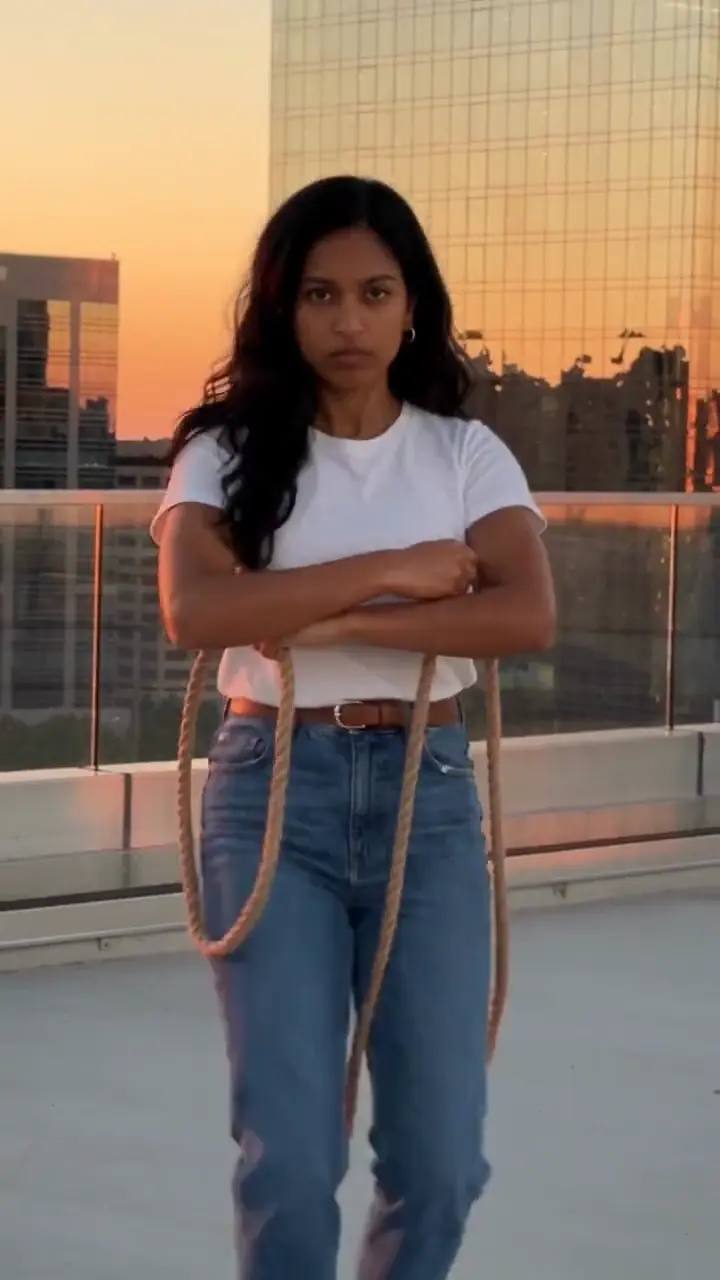
For the Gangnam Style trend, CapCut templates are the fastest, including the one-photo “AI Gangnam Style” template that spread from 19 October 2026, but they lock the scene and the dance. An AI video generator makes a new clip from one photo, and filming it yourself stays the only route with real footage.
Key takeaways
- CapCut template: fast, but the scene and moves are fixed.
- AI generator: you supply a photo, the AI supplies the dance.
- Filming it: free, real you, more effort.
- CapCut is also a good place to trim and caption a generated clip.
Which route should you pick?
Pick by what you already have. If you know the horse dance and have a spot to film, film it and edit in CapCut. If you want the sunset rooftop look without filming, an AI generator gets you there. If you want a finished clip from one selfie with no prompt to write, use the Gangnam Style generator.
What is the one-photo CapCut template?
A template is a pre-built edit with fixed clips, effects and timing, and you supply the media. The one-photo “AI Gangnam Style effect” turns a single photo into a dance clip: in CapCut you tap Templates, search “gangnam style”, pick the one-photo template and add your photo. It is one tap and no prompt. The ceiling is that the scene, the dance and the pacing are baked in, quality depends on your photo, exports can carry an end card, and some AI effects sit behind a paid plan, so check before you export.
How do the routes compare?
- Your face: real if you film it; AI-animated from your photo for the template and the generators, and it can drift while you bounce in a prompt-driven tool.
- The moves: your own for filming; fixed by a template; from the prompt in a general tool; built in on Yuppop.
- The place: only where you filmed, or fixed by the template, or set by your prompt, or a sunset rooftop on Yuppop.
- Song: a template may carry its own sound; many generators return silent clips; add the song in the app either way.
- Cost: filming and most templates are free to start; general tools have free tiers; Yuppop uses credits (480p = 500 credits, 720p HD = 1,500 credits. One-time packs: $9.99 (500 credits), $19.99 (1,500) or $29.99 (2,500), no subscription.)
When does filming it and editing win?
When you know the dance, do not mind doing it on camera and have a good spot. Film one continuous vertical take on a tripod, head to toe, with the phone still, then trim and caption it in CapCut. It is free and the only route where you really danced it. What an editor cannot do is invent what you did not film: no rooftop footage means no rooftop skyline.
When does an AI generator win?
When you want to change things, or you will not dance on camera. With the Gangnam Style AI prompt in a general-purpose tool you control the scene, and free tiers let you try before paying. The trade-offs: a real rope in the lasso hand, a zooming camera, a changed body shape and extra fingers, so expect two or three runs.
On Yuppop you add one photo and get the horse dance on a sunset rooftop, in the clothes from your photo. A 480p video uses 500 credits and a 720p HD video uses 1,500. The one-time packs are $9.99 for 500 credits, $19.99 for 1,500 and $29.99 for 2,500. Nothing renews on its own, credits do not expire, and a failed video gets its credits back. Honest limits: one person per video, and there is no free allowance.
Can you combine them?
Yes, and it is a good idea. Generate the clip, then trim it, caption it and add the song in your editor. The sound guide shows how to add PSY’s song so it does not double. New to the trend? Read the explainer, or see the free routes.
Yuppop is an independent tool and is not affiliated with PSY, his label, CapCut or any social platform. Make your own take with the Gangnam Style AI video generator.
FAQ
Can AI make the Gangnam Style video from one photo?
Yes. A one-photo template in CapCut, prompt-driven AI generators and one-photo sites like Yuppop all start from a still photo and animate the dance.
Which option is easiest?
The one-photo CapCut template: one photo, one tap, no prompt. A generator like Yuppop is the easiest way to a finished clip without a template’s fixed scene. Both trade control for speed.
Which looks more real?
Filming yourself, since it uses your real footage. Templates and generators produce AI-made versions of you.
Do I have to dance on camera?
Only for the film-it-yourself route. The template, prompt-driven tools and the Yuppop generator all animate the dance from a photo.
Can I combine them?
Yes. Generate a clip, then trim it, caption it and add the song in CapCut before posting.