Best Photo for an A2O LITE NEON AI Video: One Clear Face, Head to Knees
October 25, 2026
Want to star in the A2O LITE NEON meme? Turn your photo into it.Make my video →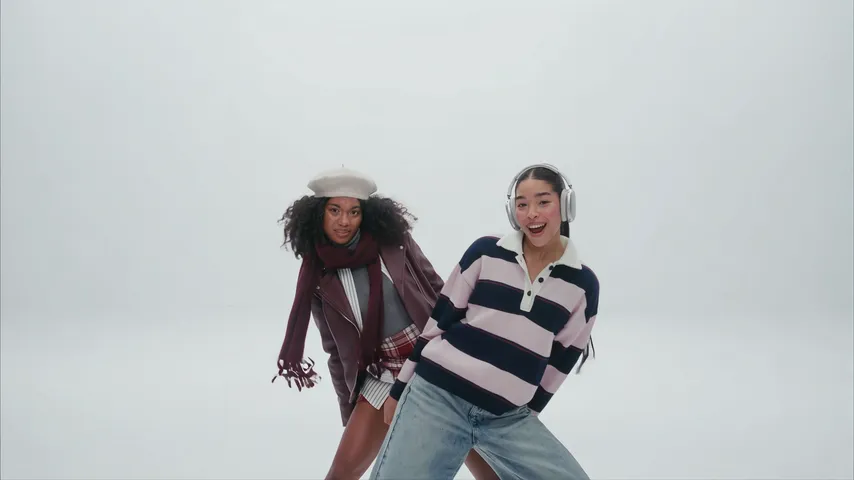
The best photo for an A2O LITE NEON AI video is one clear face looking at the camera in even light, cropped from head to knees so your outfit comes through. The photo is the only variable you control, so it decides most of the result. Add it on the A2O LITE NEON AI video generator and the white studio, the cuts and the moves come from the reference clip.
Key takeaways
- One person per photo, eyes visible, facing the lens.
- Even daylight beats a ring light on one cheek.
- Head to knees keeps the outfit in the wide shots.
- Only you or an adult who agreed, never anyone under 18.
What makes a photo work?
A photo works when the model can see one full face straight on, plus enough body to keep the outfit. Most rejected photos fail on one of those two points rather than on image quality.
- One face, facing the lens. Eyes open, nothing across the face, no profile turn.
- Even light. Daylight from a window beats a lamp pointed at one cheek.
- Head to knees, ideally. The wide shots show your full body in the outfit from your photo.
- Sharp, not soft. A slightly soft photo turns into a drifting face in the close shots.
What should you avoid?
- Sunglasses or a cap brim: the finger-gun close-up needs your eyes.
- Group shots: the tool may pick the wrong face. Crop to one person first.
- Backlit or dark indoor shots: the face goes flat and grey.
- Heavy filters: the copied face keeps the smoothing. Use the original file.
- A tiny head in a wide shot: too few pixels for a likeness.
Do you need a full-body photo?
No, but it helps. The routine is filmed as a wide head-to-toe shot, and the model has to build your legs and shoes from somewhere. A photo cropped at the chest works for the close shots and leaves the wide ones to guesswork. If you only have a close-up, expect the outfit below the chest to be invented.
Why does the wrong face sometimes show up?
Because the photo shows more than one person, or the face is small, soft or shadowed. The fix is always the photo, not the retry count: crop to one person, move closer, and shoot in daylight. A second run from the same file rarely fixes a face.
Whose photo can you use?
Your own, or an adult who agreed. A2O LITE’s members are all minors, so never upload a member of the group, a celebrity or anyone under 18. The generator cannot check consent, so that rule sits with you. 480p = 500 credits, 720p HD = 1,500 credits. One-time packs: $9.99 (500 credits), $19.99 (1,500) or $29.99 (2,500), no subscription. Failed videos refund their credits.
Next steps
When the photo is ready, follow NEON AI dance for the generate-and-post steps, or read what the trend is first. YupPop is an independent tool and is not affiliated with A2O LITE or A2O Entertainment.
FAQ
What photo works best for an A2O LITE NEON video?
One clear face looking at the camera in even light, cropped from head to knees so your outfit comes through. Sunglasses, group shots and hard shadows hurt the result.
Do I need a full-body photo?
Not strictly, but head to knees helps. The wide shots show your whole body, wearing the clothes from your photo.
Do I need a video of myself?
No. The generator takes one still photo. The moves come from the reference clip.
Can I upload one photo of two friends and let the tool split it?
No. The generator takes one photo of one person. A group shot only makes it harder to tell whose face to use.
Whose photo can I use?
Your own, or an adult who agreed. Never a member of A2O LITE, a celebrity or anyone under 18.
What if the render fails?
Failed videos refund their credits automatically, so a retry costs you time, not money.
Related guides
- NEON AI dance
- How to make the A2O LITE NEON AI video for free
- A2O LITE NEON AI prompt
- CapCut vs AI for the A2O LITE NEON trend
- NEON sound on TikTok and Reels