A2O LITE NEON: CapCut vs AI vs One Photo, Which Route?
October 25, 2026
Want to star in the A2O LITE NEON meme? Turn your photo into it.Make my video →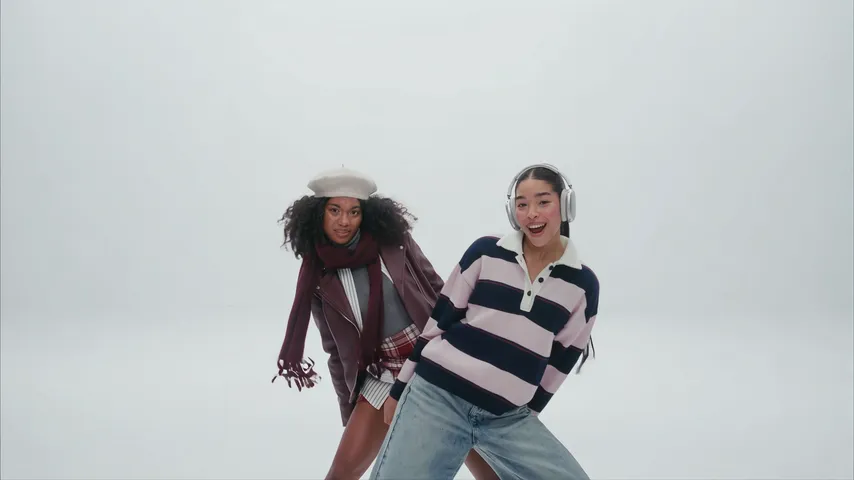
CapCut is the right tool if you filmed the white-studio intro yourself, and an AI route is the right tool if you did not. For the A2O LITE NEON trend, CapCut edits footage you shot; an AI generator invents footage you never had. The one-photo route on the A2O LITE NEON AI video generator sits between them, with the prompting and the retries already done.
Key takeaways
- CapCut: really you, needs footage and a friend.
- AI tool plus prompt: no footage, paid for in retries.
- One photo here: 480p = 500 credits, 720p HD = 1,500 credits. One-time packs: $9.99 (500 credits), $19.99 (1,500) or $29.99 (2,500), no subscription.
- Add the NEON sound in the app whichever route you use.
Which tool wins for which job?
- CapCut edit: best likeness because it is really you; shots are whatever you filmed; free to start.
- AI tool plus prompt: a white studio from a photo; the face can drift; free tries, then limits.
- One photo on YupPop: the intro from one photo, no prompt; costs credits.
When does CapCut win?
When you have filmed something worth editing. A phone clip against a white wall, cut on the beat, reads as the real trend. A template may carry something under the trend’s name, but each one needs your own clips. What an editing app does well is the cutting: landing the finger guns on the beat and trimming the routine so the kick arrives on time.
When does an AI generator win?
When you have no white wall, no partner and no free evening. An image-to-video tool can build the studio from a photo, but you write every step and retry. Our A2O LITE NEON AI prompt is written for that, including the “bright white studio, no neon lights” line that stops the dark-room failure.
When does the one-photo route win?
When you want it tonight and would rather pay than iterate. Upload one photo, choose 480p or 720p HD and the generator follows the reference clip. 480p = 500 credits, 720p HD = 1,500 credits. One-time packs: $9.99 (500 credits), $19.99 (1,500) or $29.99 (2,500), no subscription. Credits do not expire and failed videos refund their credits. There is no free allowance, which is the honest difference from editing at home.
Can you mix the routes?
Yes, and it works well. Make the clip with the generator, download the MP4, then trim it, crop it to vertical or add captions in your editing app. You can also film a real clip and cut it in CapCut, then compare it with a generated one.
How do you do the CapCut route step by step?
- Film the intro against a white wall: the hide and the lean-out, the hand close-up, the finger guns and the routine with the kick.
- Import the clips and cut each shot on the beat of the song.
- Keep the routine in one piece so the kick lands at the end.
- Add captions only if you need them.
- Export, then add the NEON sound inside TikTok, Reels or Shorts when you post.
Why does the song decide the comparison?
Because the trend is built on NEON. Music rights differ by platform, so the safest move on every route is to add the song from the app’s own library at posting time and pull your original audio down. See how to add the NEON sound. For the steps of the one-photo route read NEON AI dance.
YupPop is an independent tool and is not affiliated with A2O LITE or A2O Entertainment. It is also not affiliated with CapCut.
FAQ
Is there a CapCut template for the NEON trend?
It is worth searching the Templates tab, but templates come and go and each one still needs clips you filmed. A template is an editing shortcut, not a generator.
Can AI make the clip from a photo alone?
Yes. An image-to-video tool or the one-photo generator can make a new video of you from a single photo, with no footage.
Which route includes the song?
Treat none of them as including it. Add the NEON sound by A2O LITE in TikTok, Reels or Shorts when you post.
Can I use the original NEON video as my source?
Only if you hold the rights. It is safer to film your own clip or use a generated one.
Can I edit the generated clip in CapCut?
Yes. Download the MP4 and trim or crop it in any editor, for example to make it vertical.
Related guides
- NEON AI dance
- Best photo for an A2O LITE NEON video
- How to make the A2O LITE NEON AI video for free
- A2O LITE NEON AI prompt
- NEON sound on TikTok and Reels