How to Make a Money Flex AI Video (and PFP) From One Photo
October 24, 2026
Want to star in the Money Flex meme? Turn your photo into it.Make my video →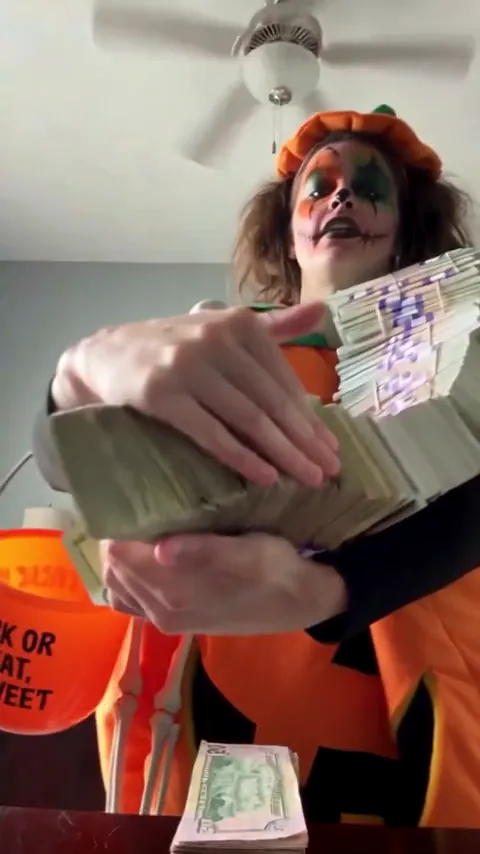
To make a Money Flex AI video, upload one face-and-shoulders photo to the Money Flex AI video generator, pick 480p or 720p HD and download the MP4 a few minutes later. The AI, Seedance by ByteDance, follows the reference clip, so you get the armful of cash, the throw, the scarf of bills and the fan over your face without owning a single prop. The last frame also makes a great Money Flex PFP.
Key takeaways
- You need one photo: face and shoulders, straight on, eyes clear.
- 480p = 500 credits, 720p HD = 1,500 credits. One-time packs: $9.99 (500 credits), $19.99 (1,500) or $29.99 (2,500), no subscription.
- No watermark, failed videos refund their credits and your photo is not stored.
- The money is props. Post it as a joke, never as proof of income.
Step 1: Pick the right photo
- Face and shoulders, straight on. The flex is shot close, from below.
- Nothing over your eyes. No sunglasses, hat brim or hair: your eyes are the last thing showing over the fan.
- Wear what you want to flex in. The AI keeps the outfit from your photo.
- Just you. Crop group photos down to one person.
- Your own photo, or one you have permission to use. No celebrities or minors.
Step 2: Upload, choose quality and generate
Open the generator, add your photo and choose 480p or 720p HD. 480p is fine for phones and PFPs; 720p looks sharper if you post on several platforms. Press Generate. It usually takes a few minutes, and you can leave the page while it renders.
Step 3: Download and post with the sound
Download the MP4 and upload it to TikTok, Reels or Shorts. The Money Flex trend runs on an original sound, so open a Money Flex video you like, tap its sound and choose Use this sound, then pick your clip. Keep the fan ending in full; it is the punchline. Turn on the app’s AI-generated label.
Step 4: Make a Money Flex PFP or GIF
- PFP: pause on the fan of bills, screenshot, crop to a square centred on your eyes.
- GIF: trim the throw or the fan to two or three seconds and run it through any free video-to-GIF tool.
- Pic: the scarf-of-bills frame works as a still post with a short caption.
Common problems and fixes
- The face looks off: use a sharper, front-facing photo without filters.
- Your eyes look different over the fan: pick a photo where your eyes are fully visible and well lit.
- The video failed: credits go back automatically; try another photo.
AI vs filming it yourself
If you own a pile of play money and can keep a straight face, filming it is free and great fun. If you do not, the generator gives you the whole flex from one selfie. Either way, read the Money Flex meme, poses and songs for caption ideas. YupPop is not affiliated with the creators of the original Money Flex videos.
FAQ
How do I make a Money Flex AI video?
Upload one clear face-and-shoulders photo to the Money Flex AI video generator, choose 480p or 720p HD and download the MP4 when it is ready, usually within a few minutes.
Is the Money Flex AI generator free?
Signing up is free, but each video uses credits from a one-time pack, starting at $9.99 for 500 credits, which makes one 480p video. Failed videos refund their credits.
Which photo works best for Money Flex AI?
Face and shoulders, straight on, in good light, with nothing over your eyes, because your eyes are what show over the fan of bills at the end.
How do I turn it into a Money Flex PFP?
Pause on the fan-of-bills ending, take a screenshot and crop it to a square around your eyes.
Do I keep my own clothes?
Yes. The AI keeps the outfit from your photo.
Does the video include the Money Flex sound?
The AI follows the original rhythm, but music rights differ by platform, so add the trend’s sound from a Money Flex video when you post.