Best Photo for a Nightwing AI Video: Knees Up, One Shot
October 25, 2026
Want to star in the Nightwing meme? Turn your photo into it.Make my video →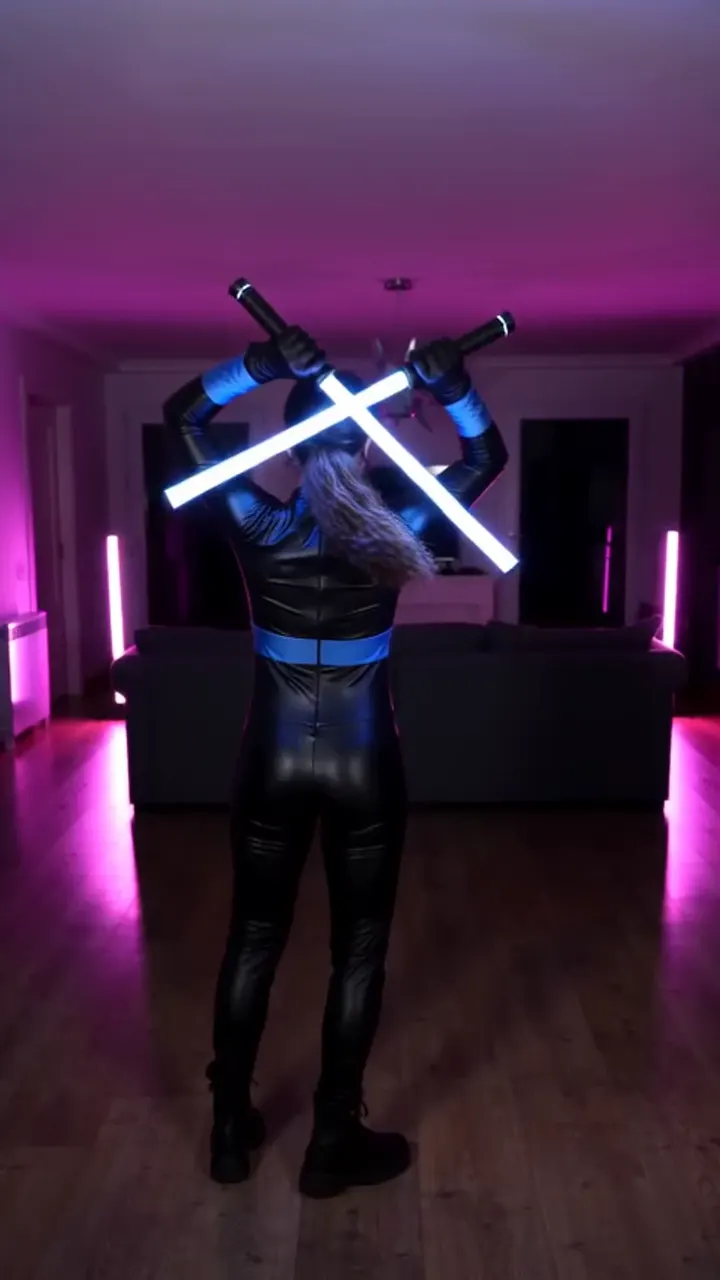
The best photo for a Nightwing AI video is one clear shot of you facing the camera, lit from the front, framed from the knees up or head to toe. The blue mask only covers your eyes, so your jaw, mouth and hair are what make the video read as you. Add it on the Nightwing AI video generator and the rest is made for you.
Key takeaways
- Face the lens, lit from the front, knees up or head to toe.
- No sunglasses, hats, heavy filters or group shots.
- 480p = 500 credits, 720p HD = 1,500 credits. One-time packs: $9.99 (500 credits), $19.99 (1,500) or $29.99 (2,500), no subscription.
- New to the trend? Start with the Nightwing trend explained.
What makes a photo work?
A photo works when the camera sees your whole face and enough body to build a suit around. Your face shows before the whip and again after it, so it has to hold up twice.
- Direction. Face the lens straight on, not turned away or looking down.
- Light. Face a window or a lamp, so your eyes and jaw are lit, not in shadow.
- Framing. Knees up or head to toe, vertical, with space above your head.
Sharpness beats resolution: a clean phone shot renders better than a soft professional one. Zoom in on the eyes before you upload, because a face that looks fine on a phone screen can still be too soft.
How should you shoot your own photo?
- Stand two steps back from a plain wall, in clothes you do not mind losing to the suit.
- Hold the phone vertical at chest height, with your head and knees both in frame.
- Turn toward the brightest light, take three or four shots and keep the sharpest.
- Crop the edges, then upload it.
Skip low angles, because the suit is built head to toe and the angle distorts the body. A mirror selfie fails for a simpler reason: the phone covers your face.
What should you avoid?
Avoid anything that hides your eyes or adds a second face, because both break the illusion at the whip.
- Sunglasses: the blue mask replaces your eyes, so hidden eyes read as a stranger. Take them off, even in sun.
- Hats and hoods: they change your hairline, which the render copies. Go bare-headed with hair off your face.
- Group photos: the AI may pick one face and invent others. Crop to one person first.
- Heavy filters: smoothing removes the jaw and mouth edges the AI needs. Use the original file.
Whose photo can you use?
Only upload a picture you have the right to use: your own, or an adult’s who agreed. No celebrities and no minors. Your photo is used to make your video and is not stored.
What does a bad photo cost you?
One 480p video uses 500 credits and a 720p HD video uses 1,500 credits, three times as much. The entry pack is $9.99 for 500 credits and $19.99 holds 1,500 credits. Packs are a one-time purchase and credits do not expire, and a video that fails returns its credits. A bad photo costs you a retry rather than the whole pack, but sorting the photo first is the cheapest fix. See the pricing page for details.
When the photo passes these checks, follow how to do the Nightwing AI trend to make the video.
YupPop is an independent tool and is not affiliated with DC, Warner Bros. Discovery or the song’s artists.
FAQ
Will the video still look like you with the mask on?
Yes, if the photo is sharp. Only the clothes change, so the generator keeps your face, hair and build on both sides of the whip. The blue mask covers your eyes, so a clear jaw, mouth and hairline give the AI the features to match.
Do you need a video of yourself?
No. The generator needs one still photo, not footage. The camera move and the transformation come from the trend, so there is nothing for you to perform. A sharp picture from today works as well as one from last year.
What if the photo is not sharp enough?
A soft photo comes back looking like a relative rather than you. Retake it facing a window, hold still and check the eyes at full zoom before uploading.
Can you use a photo with two people in it?
No. The generator takes one photo of one person, so a two-person photo needs cropping first. Left uncropped, the AI may pick one face and add a second body after the whip.
What does a retry cost?
A retry uses credits like any other video: 500 for 480p and 1,500 for 720p HD. A video that fails refunds its credits, so only successful videos are charged.
Related guides
- How to do the Nightwing AI trend
- Nightwing AI trend for free
- Nightwing AI prompt
- Nightwing AI: CapCut vs AI generator