Nightwing Sound on TikTok and Reels: Add the Stereo Love Funk
October 25, 2026
Want to star in the Nightwing meme? Turn your photo into it.Make my video →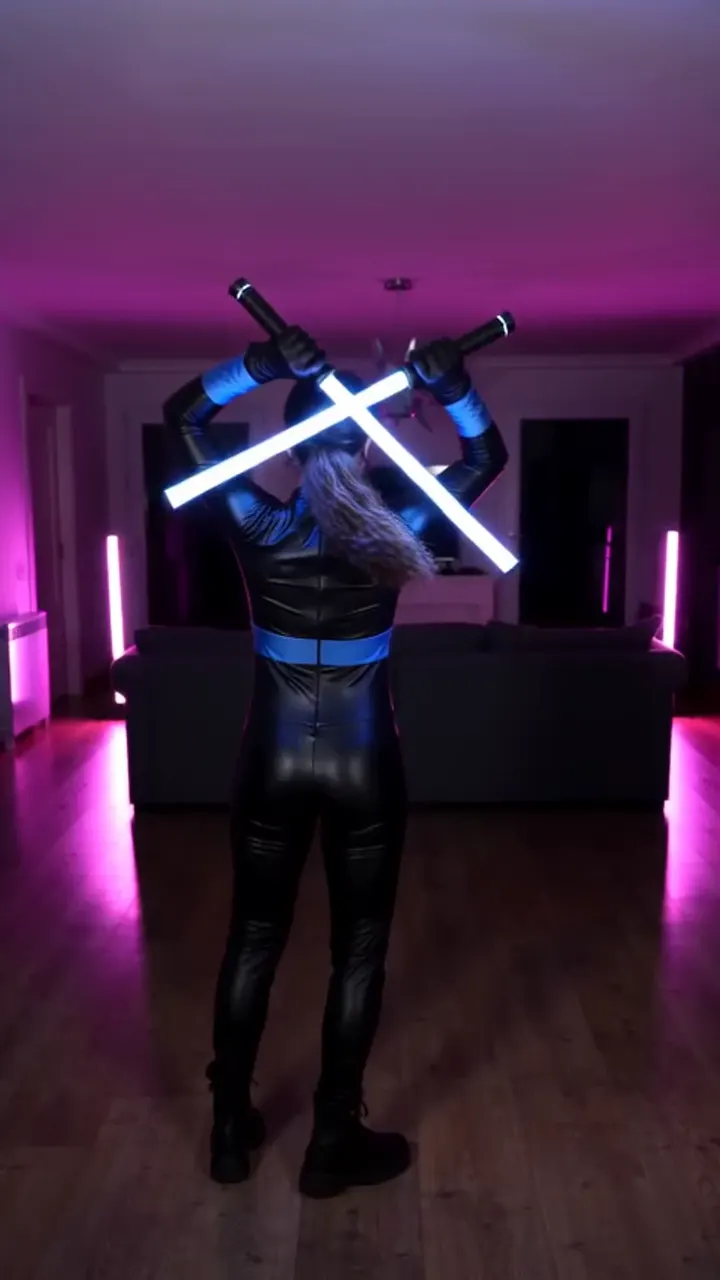
Nightwing videos use a funk take on the accordion hook of “Stereo Love”, usually filed as “Stereo Love funk”. It stays quiet while the blue mask goes up, then lands its drop as the camera whips. The sound does half the work, because the drop tells viewers the whip is coming.
Key takeaways
- The sound is “Stereo Love funk”, a funk edit of the accordion hook.
- Pick it inside the app: it links your clip to the sound page and uses licensed audio.
- Line the drop up with the whip by moving the sound’s start point.
- Need a clip first? Make one on the Nightwing AI generator.
What exactly is the Nightwing sound?
The sound is a funk edit of the accordion hook from “Stereo Love”. It keeps that hook and adds a heavier beat, which is what makes it fit a transformation clip. Search results also show the original song, sped-up versions and other remixes, so do not guess from the list. Open a Nightwing video you like, tap the sound name and use that upload. Credits for the funk edit vary from upload to upload, so there is no single remixer to search for. The song belongs to its rights holders.
Why add the sound inside the app?
- Discovery. People browsing the sound page find your clip, and people who tap the sound on your post find the trend.
- Licensing. Music that only sits inside your file is more likely to be muted later.
- Once per app. Posting to TikTok, Reels and Shorts means adding it three times.
Filmed it yourself with no audio at all? Then the app’s sound is your whole soundtrack, and lining the drop up with the whip is the only edit you need. A video from the generator is the same: add the sound when you post. If you need the video first, see how to do the Nightwing AI trend.
How do you add it on TikTok?
Start from a video that already uses the sound rather than from the search box. That guarantees the funk version instead of a lookalike.
- Open a Nightwing video that carries the sound, then tap the track’s name along the bottom.
- Choose Use this sound, then pick your clip from the library.
- Go to volume and slide your own audio all the way down.
- Check the drop hits as the whip lands, then publish.
Going the other way works too: tap plus, choose the clip, then add sound and search for “Stereo Love funk”. Nudge the song’s start until the quiet stretch sits under the mask lift.
How do you add it on Reels and Shorts?
On Instagram and YouTube the steps match, and the volume slider is the part people forget. Turn your file’s own audio down before you share.
- Find a Reel carrying the song, tap its audio name, choose Use audio, then add your clip.
- Or begin a fresh Reel, select the clip and search “Stereo Love funk” under the music button.
- Pick the stretch of the song that puts the drop on the whip.
- Pull the camera audio down, then share. For Shorts, begin on the sound page and repeat.
If the funk version is missing from a library, post with the song already inside your video and the original audio on. The clip still plays correctly.
Why does your video sound doubled?
A doubled soundtrack means two copies of the song are playing a beat apart. If your file already contains music, adding the app’s sound on top gives you an echo. Pick one, then check the drop: with the file’s audio muted, the added sound only lands on the whip if it starts in the right place, so play it back and nudge until it does.
A muted post is a different problem with the same fix: re-upload with the original audio off and the sound picked from the app’s library. Label AI-made clips before you post: on TikTok that means switching on the AI-generated content label first, and name the trend in the caption so people searching in Spanish or Portuguese still find it.
The Nightwing trend explained has the full background. YupPop is an independent tool and is not affiliated with DC, Warner Bros. Discovery or the song’s artists.
FAQ
What song is the Nightwing trend?
A funk remix of the accordion hook from “Stereo Love”, filed on TikTok as “Stereo Love funk”. The music stays quiet while the mask goes up and drops as the camera whips.
Who made the Stereo Love funk remix?
Different uploads credit the funk edit to different people, so there is no single name to search. Open a Nightwing video you like, tap its sound name and use that exact upload.
Does the generated video already have the song?
Do not count on it: music rights differ by platform. Add the Stereo Love funk sound inside TikTok or Reels when you post, which also links your clip to the trend’s sound page.
Why was your video muted after posting?
Clips get muted when the only music sits inside the uploaded file rather than in the app’s library. Re-upload with the sound picked in the app and your own audio turned down.
Do you have to label an AI Nightwing video?
You should. Switch on the AI-generated content label in TikTok’s posting screen, or use the AI label in Instagram’s advanced settings, before you publish.
More from the blog
- The Nightwing Trend Explained: Mask-Up, Whip and the Stereo Love Funk Sound
- How to Do the Nightwing AI Trend From One Photo
- Best Photo for a Nightwing AI Video: Knees Up, One Shot
- Free Nightwing AI Video: Filming It vs One Photo
- Nightwing AI Prompt (Copy and Paste): Mask Lift and Whip
- Nightwing AI: CapCut Template vs AI Generator