Toc Toc Sound on TikTok and Reels: How to Add It
October 25, 2026
Want to star in the Toc Toc meme? Turn your photo into it.Make my video →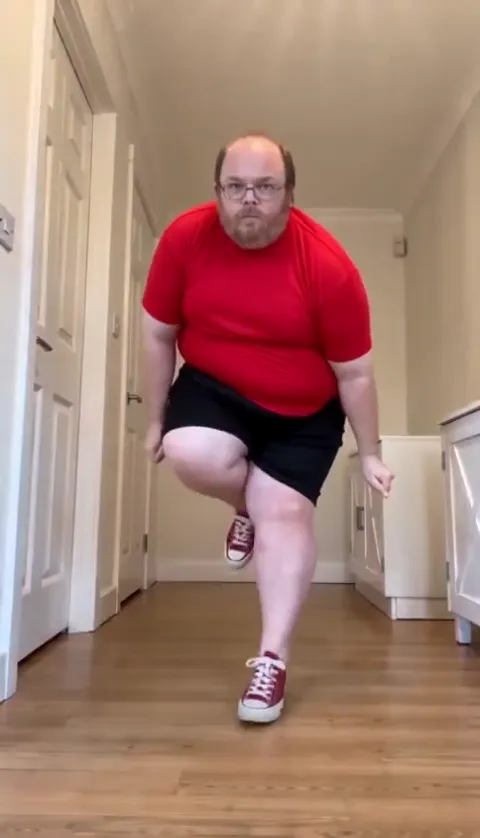
The Toc Toc trend runs on “Toc Toc” by Patrick Sébastien, a 2015 party song from his album “Ça va bouger !”. You add it by picking the official sound from TikTok, Instagram or YouTube’s own library when you post, so the video joins the trend’s sound page.
Key takeaways
- Song: “Toc Toc” by Patrick Sébastien, track 13 on “Ça va bouger !”.
- Start from a Toc Toc dance video and tap its sound. It is more reliable than searching.
- Set the original audio to zero so two copies do not overlap.
- No clip yet? Make one from a photo with the Toc Toc AI video generator.
What song is the Toc Toc sound?
“Toc Toc” is a French party song by Patrick Sébastien, track 13 on his album “Ça va bouger !”, dated November 13, 2015 on Genius. The chorus is a door-knocking joke built on the line “qui c’est qu’est là ?”, which is where the nickname Kicékéla comes from. The dance came much later and is timed to the track: the knock lands on the chorus and the ta-da closes the last beat. What the song says is covered in Toc Toc lyrics in English.
Why does the official sound matter?
Platforms treat a track in your file differently from a track in their library. A library pick puts your post on the sound page, where people browse other takes and tap through to yours. Apps recognise their own catalogue, so a library pick is less likely to be muted, and the artist is credited. A song sitting inside your MP4 still plays, but the platform reads it as your own audio, with no link to the trend and a higher chance of a copyright flag.
How do you add the sound on TikTok?
- Open a Toc Toc dance video and tap the sound name under the caption.
- Check that it reads Toc Toc by Patrick Sébastien, then tap Use this sound.
- Tap Upload and pick your clip.
- Open Volume, set the levels, then tap Next and Post.
Before publishing an AI-made clip, turn on TikTok’s AI-generated content label under More options. It takes one tap and it is the honest default for a video nobody filmed.
How do you add it on Reels and Shorts?
On Reels, tap the audio name on any Toc Toc Reel and choose Use audio, or start a new Reel, tap Add audio and search “Toc Toc”. On Shorts, open a Short that uses the song and tap the sound, or upload your clip and tap Sound. In both apps, drag the start point until the hops bounce on the beat and the ta-da lands on the last one. Library tracks often open at the part most people use, which is not always the part your clip needs.
How do you mix the volume?
| Your clip | Original sound | Added sound |
|---|---|---|
| A generated clip with the library sound added | 0 | Full, ta-da on the last beat |
| A silent clip from another app | 0 | Full, lined up by hand |
| You filmed it yourself | Low, for room sound | Full |
Two copies playing slightly apart is the most common reason a Toc Toc post sounds wrong.
What if the sound is muted or missing?
- Business accounts often get a smaller commercial music library, so the track may be unavailable.
- Region. What is licensed differs by country.
- Several versions. Remixes and sped-up uploads share the name, so start from a dance video.
- Still stuck. Post with the audio inside your file. It plays; it just will not link to the sound page.
If you have no clip yet, see how to make the Toc Toc AI dance from one photo. YupPop is an independent tool and is not affiliated with Patrick Sébastien, his label or the creator of the original dance.
FAQ
What song is the Toc Toc trend?
“Toc Toc” by Patrick Sébastien, track 13 on his 2015 album “Ça va bouger !”. The line “qui c’est qu’est là ?” is the part the dance syncs to.
How do I add the sound on TikTok?
Open a Toc Toc dance video, tap the sound name under the caption, choose Use this sound and upload your clip. Searching the track name while posting also works, but it is easier to land on a remix.
Why was my video muted?
The track is licensed audio, so a platform can flag a copy that sits inside your file. Repost with the library sound selected and the original audio at zero.
Does a generated video already have the song?
Do not count on it. Music rights differ by platform, so add the official “Toc Toc” sound from the app’s library when you post.
Which version of the sound should I use?
The track exists in several uploads, including remixes and sped-up cuts, so start from a dance video and tap its sound instead of searching by name.
Related guides
More from the blog
- Toc Toc Meme and Dance: How to Make the AI Version From One Photo
- Is Jean Phil AI? The Toc Toc Trend, Explained
- Best Photo for a Toc Toc AI Video: One Full-Body Photo
- Free Toc Toc AI Dance Video: What Is Free and What Is Not
- Toc Toc AI Prompt (Copy and Paste) for Image-to-Video Apps
- Toc Toc AI: CapCut Template vs AI Generator